Boomerang – playing from your phone in 2026
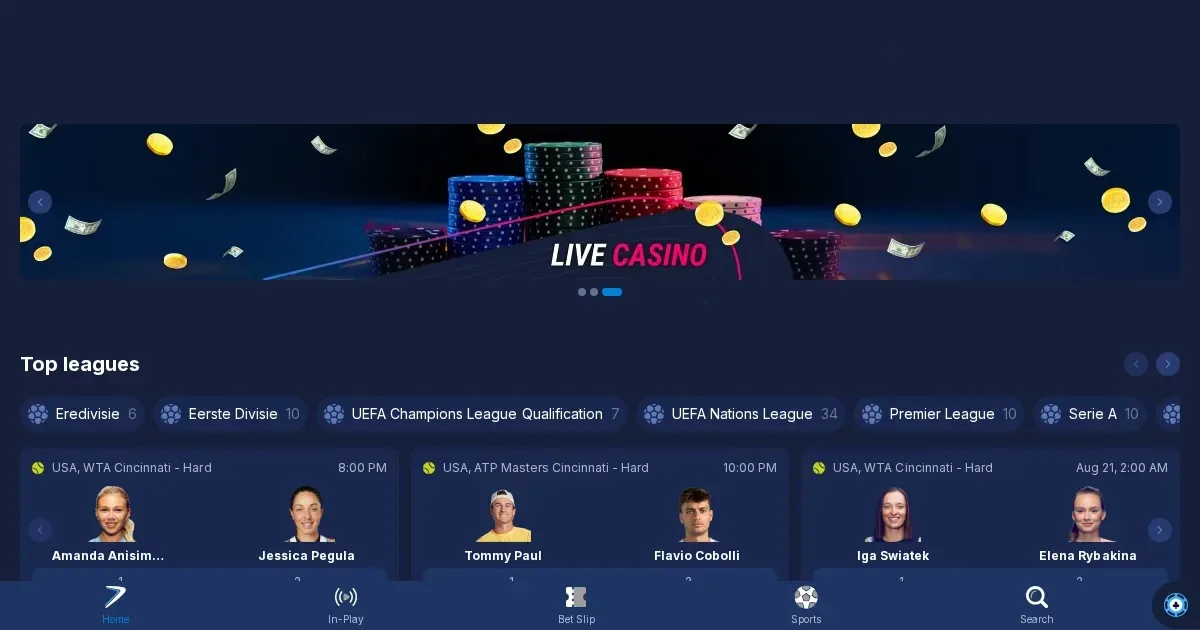
















Playing from a phone
Boomerang runs in mobile browsers without requiring a download. You reach it by opening the operator's site on your phone – Safari, Chrome, Firefox or your device's default browser – and logging in with the same credentials you'd use on a laptop. The layout adjusts to fit smaller screens, so you're not pinching and zooming to find the cashier or tap a game tile.
There's no mention of a native iOS or Android app in the operator's published material. What you get instead is a responsive site that loads in your phone's browser. For most players that's simpler: no store approval wait, no update prompts, and no device storage eaten by an install.
This approach has a downside. Browser tabs can be accidentally closed, and a weak mobile signal will interrupt a session faster than it would on a wired desktop. Battery drain is also steeper when streaming live dealer feeds over 4G. But you're not locked to one device – log in from any phone, any time, without reinstalling anything.
What the operator actually provides
Boomerang's mobile site mirrors the desktop version in structure. The lobby lists slots, live games, table games and jackpots in scrollable rows. Tapping a tile launches the game in full-screen mode; tapping the three-line menu icon brings up the cashier, your account settings and the support options.
The cashier works the same way it does on a computer: you select a deposit method, enter the amount, and confirm. Withdrawals follow the same flow – choose the method, state the sum, and submit the request. The operator processes these within 96 business hours, regardless of whether you filed the request on a phone or a desktop machine.
Identity verification can be completed on mobile. The account settings screen has an upload button for your ID, proof of address and payment-method documents. Some players photograph their documents with the phone's camera and upload them directly; others prefer to scan on a computer. Either route works, and the operator's usual 10-day verification window applies to both.
Support channels – live chat and email – are reachable from the hamburger menu. The chat widget opens in a new overlay, so you can ask a question without closing the game you're playing. Email goes to [email protected], and the operator's FAQ is accessible from the footer.
The parts that work well
Slots translate cleanly to a phone screen. The reels scale down, the spin button stays thumb-sized, and the autoplay and settings icons remain accessible. Providers design their games to run on mobile from the outset, so you're not playing a cramped version of a desktop slot – it's the same build, rendered for a smaller display.
Live dealer games load in portrait or landscape mode. Landscape gives you a wider view of the table, though the chat and bet-history panels can crowd the edges. Portrait mode stacks the video feed above the betting interface, which some players find easier to navigate with one hand. Either way, the stream quality depends on your connection – 4G usually suffices for blackjack and roulette, but baccarat's faster pace and multiple camera angles benefit from Wi-Fi.
The loyalty programme is fully functional on mobile. You earn 1 Coin for every 100 EUR wagered, and 5% of each deposit comes back as Coins. The Shop – where you exchange Coins for bonuses, free spins and freebets – loads from the account menu. Weekly challenges appear under the same tab, and you can track your progress without switching to a computer.
The parts that do not
Table games with complex interfaces – multi-hand blackjack, some variants of poker – feel cramped on a phone. The betting circles shrink to fit the screen, and distinguishing one hand from another when you're playing five at once requires careful tapping. Misclicks are more common on mobile, especially when a game asks you to place side bets or split pairs.
The promotions page lists the welcome bonus, the weekly reload and any active tournaments, but scrolling through the full terms on a 6-inch screen is tedious. Wagering tables, excluded games and contribution percentages are easier to read on a desktop. You can still claim a bonus from your phone – the "Activate" button works fine – but understanding exactly what you've signed up for is clearer on a larger display.
Withdrawal limits vary by VIP level, and the operator publishes those limits in a long table spanning 15 currencies and 5 tiers. On mobile, that table requires horizontal scrolling. If you're trying to confirm your monthly cap before requesting a payout, opening the terms page on a computer saves you the frustration of swiping left and right to find your currency and tier.
Battery life drops sharply during live casino sessions. A 90-minute blackjack session over 4G can drain 40% of a phone's charge, especially if the screen brightness is set high. Slots are less demanding, but autoplay over an extended period still pulls more power than browsing or messaging.
Battery, connection and session length
Mobile play is practical for short sessions – a few spins on the commute, a quick blackjack hand during a break. Longer sessions benefit from a stable connection and a charger within reach. Switching from 4G to Wi-Fi mid-game will usually reconnect you to the same round, but the operator's terms state that interrupted sessions may time out after a period of inactivity.
Screen size affects how much information you see at once. On desktop, you can have the game, the cashier and a support chat visible simultaneously. On mobile, each of those lives in its own screen or overlay, so you're switching between them rather than glancing at everything in one view. That's not a flaw – it's how mobile interfaces work – but it does slow down multitasking.
Data usage for slots is modest: a typical slot session uses around 10–15 MB per hour. Live dealer games are heavier, consuming 100–150 MB per hour at standard video quality. If you're playing on a capped mobile plan, keep an eye on your data consumption or switch to Wi-Fi.
What to check first
Before you play on mobile, confirm you're on the operator's real domain. Phishing sites that mimic the login screen are more convincing on a small display, where the address bar is often collapsed. Type the URL yourself rather than following a link from an email or a message.
Check your account's deposit and loss limits from the settings menu. Boomerang lets you set these from the responsible-gambling section, and they apply across desktop and mobile. Setting a deposit cap of 50 EUR a day on your laptop enforces the same cap when you log in from your phone an hour later.
Sign out after each session, especially on a device you share. A phone left unlocked with an active session is a direct route to your balance. The operator's terms hold you responsible for activity on your account, so logging out is a basic step worth taking seriously.
Keep your phone's OS and browser updated. Older versions can struggle with the site's scripts, leading to slow load times or games that freeze mid-spin. Most security patches and performance fixes arrive through system updates, so enabling automatic updates is the simplest way to avoid compatibility issues.
Responsible play on a device you carry everywhere
A phone makes it easier to play impulsively – you're never more than a few taps from a deposit screen. That convenience is exactly why setting limits before your first mobile session matters. Boomerang's deposit caps, self-exclusion requests and account breaks apply regardless of the device you're using, but they only work if you've activated them in the first place.
Gambling is meant to be entertainment, not a reflex whenever you're bored or waiting. If you find yourself opening the site every time you have five minutes to spare, that's worth noticing. Access is restricted to those aged 18 and over (18+). If you ever need to talk through your play, free and confidential support is available through BeGambleAware and the National Gambling Helpline on 0808 8020 133 (24/7, free from UK phones). GamStop offers a free national self-exclusion scheme covering licensed operators, and blocking software such as Gamban or BetBlocker can restrict access across all your devices.
If you share your device with someone under 18, parental-control software such as Net Nanny or Qustodio can block access to gambling sites. These tools work at the system level, so they apply even when you're not logged in.
Last updated:
Frequently asked questions
Can I play Boomerang games on my phone?
Yes. Boomerang runs in mobile browsers – Safari, Chrome, Firefox – without requiring a download. You log in with the same account you use on a computer, and the site adjusts to fit your screen.
Is there a Boomerang app for iOS or Android?
The operator's published material makes no mention of a native app. Access is through the mobile site in your phone's browser, which works across devices without installation.
Do live dealer games work on mobile?
Live games load in portrait or landscape mode and stream at a quality determined by your connection. Wi-Fi is recommended for the best experience, though 4G usually handles single-table games like blackjack and roulette without interruption.
Game Providers